AI SEO · 11 September 2026 · 8 min read
ChatGPT Images 2.5 landed. Keep it off your Google profile.
OpenAI released its new image model on 8 September 2026. It is faster, it holds on to your reference photos properly, and it now ships templates for flyers and product photos. It also stamps every picture it makes with a label that Google can read, which is exactly why the pictures must not go anywhere near your Google Business Profile.
What did OpenAI actually ship on 8 September?
OpenAI announced ChatGPT Images 2.5 on 8 September 2026, calling it a state-of-the-art image model with sharper details, more precise editing and faster generation. The same announcement puts the scale of this in context: people create more than 3 billion images a week across ChatGPT Images and the GPT-Image models in the interface and the API.
It is not locked behind a premium plan. OpenAI says it is rolling out to ChatGPT, ChatGPT Work and Codex users across all tiers, on desktop, mobile and web. If you have a free account, you get it as the rollout reaches you.
Developers get two new models in the API. GPT-Image-2.5 Flare carries the same gains in quality, editing and speed, and GPT-Image-2.5 Sunburst offers an extra level of precision for detailed creative work with longer generation times. Adobe, Manus and Runway are named in the announcement as early partners.
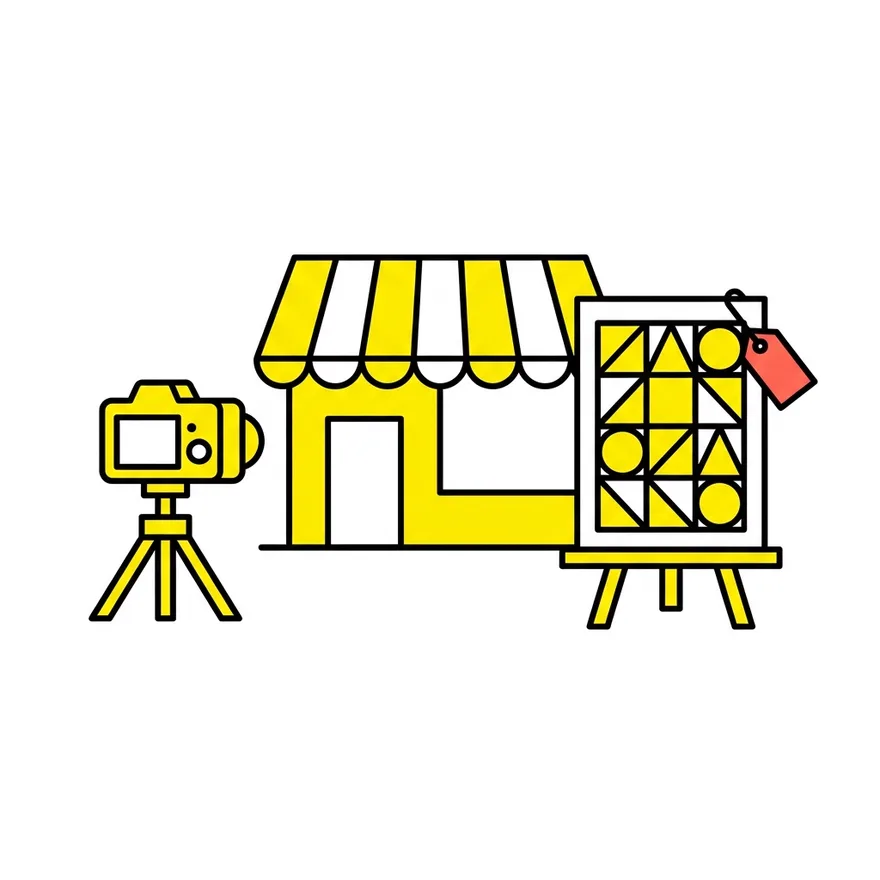
Three product features come with it inside ChatGPT. Sketch lets you draw directly in the chat as a reference for the final image. Templates give you a starting structure for popular formats, and OpenAI names flyers and product photos specifically. You can also place comments directly on part of an image to ask for a focused edit, and pass on the prompt you used so someone else can run the same idea with their own photos.
What is genuinely better about it?
Three things, and only one of them is speed.
Speed. OpenAI says it has reduced image generation latency by up to 50 per cent compared with Images 2.0. In practice that turns a slow back and forth into something you can do while the kettle boils.
Reference photos. The old models drifted. You would upload a photo of your van, your shopfront or your dog, and get back something that only sort of looked like it. The new model is better at working from reference photos and keeping the subject recognisable, with more natural lighting and richer textures.
Multi-turn editing. This is the one that matters if you actually make things rather than read about making things. Ask for five small changes to an image and, until now, the whole picture would quietly fall apart by the third one. Images 2.5 follows editing instructions more reliably across several turns, so earlier changes stay put while you keep building.
Be honest about the size of the jump. It is a real step forward rather than a reinvention, and how much difference you notice depends entirely on what you are generating.
Can you use AI images on your Google Business Profile?
No, and this is the single most useful thing in this post.
Google's guidance on business-specific photos is blunt. It says the photo should be in focus, well lit and have no significant alterations or excessive use of filters or AI, and then spells it out: in other words, the image should represent reality.
That is not a ranking penalty waiting to happen. It is a content rule, and the sanction is simpler and worse: the photo gets rejected or removed, and repeated problems put the profile itself at risk. The photos and videos policy is the document that governs it.
There is a customer argument too, and it is stronger than the policy one. Somebody looking at your profile is deciding whether to walk through your door. A generated picture of a kitchen that is not your kitchen is a promise you cannot keep. We have watched this play out on review threads: the complaint is never that the photo was AI, it is that the place did not look like the pictures.
Use your phone. Ten honest photographs taken on a bright morning will beat anything a model can invent about a business it has never seen.
Where should a local business use it instead?
Plenty of places, and the Templates feature is aimed squarely at them.
- Flyers and posters. A quiz night, a seasonal offer, a new opening time. These are announcements, not evidence, so nobody is misled by an illustrated background.
- Social posts. Instagram and Facebook cover art, story backgrounds, the graphic that sits behind a quote from a review.
- Blog and website illustration. Diagrams, explainer art, section headers. Every piece of art on this site is generated, and every photograph of a client's premises is not.
- Ads creative for testing. Generate six variations of a concept, run them, keep the winner, then shoot the real thing properly.
- Mock-ups before you spend. Show a signwriter what you want on the van before you pay anyone to paint it.
The line is simple enough to put on a sticky note. If the image is evidence about your business, photograph it. If the image is decoration around a message, generate it.
Will better images get you into ChatGPT answers?
On their own, no, and it is worth being clear about why.
When someone asks ChatGPT for a plumber in Tunbridge Wells, it is reading text. As we covered in the piece on how ChatGPT recommends local businesses, it searches, reads the pages it finds, and cites the ones with clear facts and visible reviews. Your hours, your prices, your service area and your reviews do the work. A better header image does not.
Images earn their keep one step later, at the point where someone has been given your name and is deciding whether to trust you. That is a real job, and it is worth doing well. It is just not a visibility job.
Our own numbers, pulled from GA4 across the 12 UK sites we own or look after on 9 September 2026, show 483 AI-assistant sessions in 90 days, 87 per cent of them from ChatGPT, and 274 in the last 30 days, which was 1.5 per cent of all visits. Those visitors arrived because of words. They converted, or did not, partly because of pictures.
What we are doing for clients this month
Nothing dramatic, because the update does not call for it.
- Rebuilding the seasonal flyer and social set for the clients who run offers, using Templates rather than paying for a fresh design round.
- Auditing the photo sets on every profile we manage, flagging anything that looks filtered, stretched or generated, and booking a proper photo session where a profile is thin.
- Testing the multi-turn editing on blog art so one illustration can be adjusted rather than regenerated from scratch, which is faster and keeps a consistent look across a series.
- Leaving client Business Profiles alone apart from adding real photographs, because that is what the guidance asks for.
If you want the detail on how we report the AI side of this each month, the post on the free Search Console AI report covers the numbers we now include as standard.
What you should do this week
- Open ChatGPT, type a sketch, and draw the layout of one thing you need, such as a flyer for your next offer. Ten minutes.
- Try Templates for a product photo or a poster, and compare the result with what you would have paid for.
- Upload a reference photo you have used before with an older model and see whether the subject survives this time.
- Open your Google Business Profile and look at your photos as a stranger would. Remove anything heavily filtered or generated.
- Book an hour on a bright morning and take ten real photographs: the front, the inside, the team, the work, the van.
- Keep your generated art and your real photographs in separate folders. The habit is what stops the wrong one being uploaded in a hurry.
Three objections, answered
"Nobody can tell an AI photo from a real one any more." People often cannot. Google can, because the file tells it, and that is the whole point of C2PA metadata and invisible watermarking. Your customer does not need to detect it in the image, they only need to notice that the place does not match.
"My competitor's profile is full of generated pictures and they are ranking fine." Probably true today. Photo policies are enforced unevenly and mostly on report. That is a reason to report it, not a reason to copy it.
"I cannot afford a photographer." You do not need one. A modern phone on a bright day, a clean window and a steady hand will produce profile photos that outperform anything generated, because they are true.
The verdict
ChatGPT Images 2.5 is a good update that saves a small business real time and a little money on the graphics around your marketing. The speed increase is genuine, the reference-photo handling is the biggest practical change, and Templates make it usable by someone who has never opened a design tool.
Use it for the flyer, the social post and the blog art. Photograph the shop. That distinction will matter more every month as Google, and eventually the platforms people ask for recommendations, get better at telling the two apart.
Questions, answered
Is ChatGPT Images 2.5 free to use?
OpenAI says the model is rolling out to ChatGPT, ChatGPT Work and Codex users across all tiers, on desktop, mobile and web, so a free account gets it as the rollout arrives. Usage limits still apply to free accounts, and the two API models, GPT-Image-2.5 Flare and GPT-Image-2.5 Sunburst, are billed separately for developers.
How much faster is it?
OpenAI says it has reduced image generation latency by up to 50 per cent compared with the previous Images 2.0 model. Up to is doing some work in that sentence, and the difference you see depends on what you are generating and how busy the service is.
Can Google tell that an image was made with ChatGPT?
It can read the signals. OpenAI writes C2PA metadata and an invisible watermark into the images its tools make, and Google says that if an image contains C2PA metadata, people can use its About this image feature to see whether it was created or edited with AI tools. Google has also said its ad systems are starting to use C2PA metadata when enforcing policies.
Are AI images against Google Business Profile rules?
Google's guidance on business photos says the photo should be in focus, well lit and have no significant alterations or excessive use of filters or AI, and that the image should represent reality. Generated pictures of your premises, food or team do not meet that, and the likely outcome is the photo being rejected or removed rather than a ranking change.
Where is it safe to use generated images for a local business?
Flyers, posters, social graphics, blog and website illustration, ads creative for testing, and mock-ups you show a supplier. The test is whether the image is evidence about your business or decoration around a message. Evidence gets photographed, decoration can be generated.
Will better images help me show up in ChatGPT or AI Overviews?
Not directly. Assistants that recommend local businesses are reading text: your pages, your listings and your reviews. Images matter at the trust stage, once somebody has your name and is deciding whether to call, so they affect whether the visit turns into a customer rather than whether the visit happens.
Sources
- OpenAI, Introducing ChatGPT Images 2.5, 8 September 2026
- Google, How Google and the C2PA are increasing transparency for gen AI content
- Google Business Profile Help, Tips for business-specific photos on your Business Profile
- Google Business Profile Help, Business Profile photos and videos policy
- C2PA, Coalition for Content Provenance and Authenticity
- Google Search Central, About this image in Google Images
Our own figures come from Google Analytics 4 and Google Search Console for the sites we look after, pulled 11 September 2026.